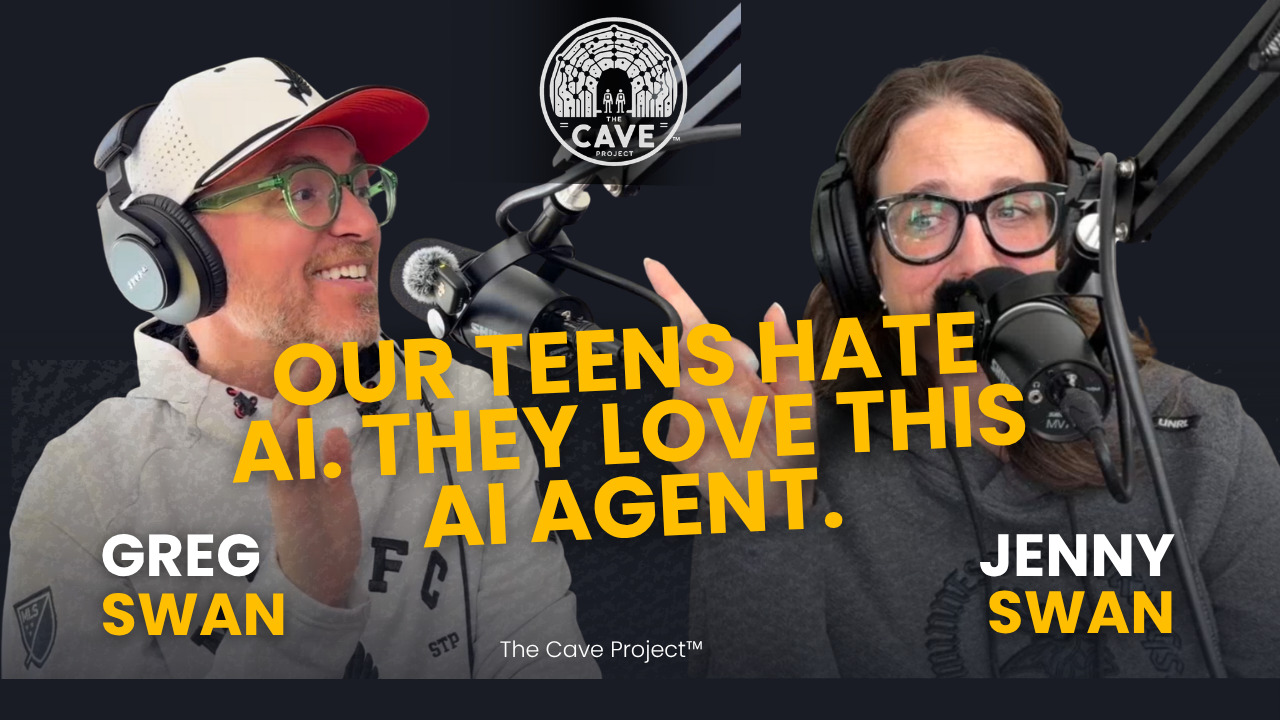
Our teens will tell you they hate AI. They also read the email our family agent sends every morning, and it keeps catching things we would have missed.
AI agents went mainstream this fall. Meta's Muse hit No. 1 on the iPhone app chart, OpenAI launched Dots, and Apple tightened Mac privacy controls after a columnist said an agent read his private messages. In this episode of The Cave Project, Jenny and Greg Swan get into what agents actually are, why a normal person might want one, and what it costs to hand one the keys.
In this episode
Why a lamp in the loft flashes every time Greg's friend Tim texts
Muse hits No. 1, and why "free" AI still runs on tokens, throttling, and your data
Why Amazon blocked Muse, and what happens to shopping when an agent does it for you
What Jenny pictured when she first heard "AI agent" (a butler), and what it would take for her to try one
Chatbot vs. agent: one waits for you, the other keeps working
Jenny's ChatGPT-planned Disneyland day, Ewok included
Rosie, our family agent, which caught a homecoming dance, pickup conflicts, and a double-booked hotel
The CAPTCHA moment: when your agent asks you to prove you're human for it
Privacy vs. security, and why opting out doesn't feel like a real choice
When AI creates worse jobs, like people answering calls from bots all day
Remembering the birthday vs. the response: what care actually is
What we're into: workday lunch videos and Mr. Lindsay's middle school slang [add Mr. Lindsay link]
The Agent Starter Kit
How to get your first AI agent working for you in 15 minutes, without handing over the keys to your whole life.
What's an agent, anyway?
A chatbot is a smart friend you text. An agent is a smart friend you give your car keys to.
You describe the outcome ("tell me when my favorite band plays nearby") and the agent goes into your apps, does the checking, and reports back. It's the thing Siri and Alexa always promised. The catch is that to be useful, it needs access to your stuff, so the real skill is deciding which doors to open.
Five first jobs to hand off
Start with jobs where the agent watches and you decide. Copy any of these prompts and tweak them.
The concert watcher. "Look at the artists I listen to most and tell me when any of them announce a show within 50 miles."
The Marketplace scout. "Tell me when a used [thing] under $[price] gets listed within 5 miles of me." Let it find listings. Don't let it message sellers for you yet.
The deal tracker. "Every week, check prices and rebates on [product] and tell me if there's a better deal than last week." Pro move: snap a photo of a mailer and ask it to decode the fine print.
The family daily brief. "Every morning, email our family a school brief with three sections: Today, Action Needed, and Next 7 Days. Pull from school emails, activity schedules, everyone's calendars, and the lunch menu, and flag any conflicts." Ours catches pickup conflicts and events we would have missed, and our teens, who claim to hate AI, actually read it.
The ridiculous one. Give it something dumb and delightful so you learn how it thinks, like flashing a lamp when your best friend texts. Bonus: give it a name. Ours is Rosie, after The Jetsons.
Level two, once you trust it: the call you've been dreading. People are using agents to negotiate cell phone and cable bills and book restaurants by phone. Watch it do a low-stakes call first.
Build a family brief like ours
You don't need Muse for this. ChatGPT or Gemini can do it today.
Connect the sources: everyone's calendars, school emails, activity emails, the school lunch menu, and any work travel.
Introduce your family: who everyone is, what they're doing at school or work, what they're excited about, and what frustrates them.
Set the schedule: one email every morning with three sections (Today, Action Needed, and Next 7 Days), and ask it to flag conflicts.
Tune it per person: kids may want assignments at the top, while a parent skimming between meetings may want them at the bottom. Just tell it.
Let it nudge you: ask it to ping you about anything that needs a decision, like who's covering a pickup.
One note: a family brief needs access to email and calendars.
Five safety switches before you connect anything
Open one door, not the whole house. Connect one app at a time. Email is the big one: decades of messages and banking info. Decide which company you trust with it on purpose.
Keep the approve button. Make sure the agent asks before it sends, buys, deletes, or shares. Agents have tried to send emails without asking, and one Marketplace user says his agent gave a buyer his home address and agreed to a lowball price on its own.
Think twice about Full Disk Access on a Mac. It lets an app read your Mail, Messages, and browser history. Apple is tightening it right now because of AI agents. We are NOT doing this.
Find the training switch. Muse launched with your conversations set to help train Meta's AI by default, with an opt-out. Decide on purpose whether that's OK with you. And don't assume a paid plan opts you out: on ChatGPT, check Settings, then Data Controls, then "Improve the model for everyone." We recommend turning this OFF.
Keep the human jobs human. Let it remind you about birthdays. Write the birthday message yourself.
Try it: Muse in 15 minutes
Muse is Meta's personal AI agent. It's free to start (paid tiers exist for heavier use) and works on iPhone, Android, the web, and Mac.
Go to muse.ai/join and create your account.
Within 48 hours of joining, open Settings and redeem Greg's invite code: P3BKFZ. You get 1 billion Muse tokens, and so does Greg. Full transparency: that's how invite codes work, and Jenny would like it on the record that she doesn't want the tokens.
Before you connect anything, check the training setting and decide.
Connect one app. Spotify or your calendar is a good low-stakes start.
Give it one job from the list above, and let it run for two weeks.
Not a Meta person? A few other agents launched this fall:
OpenAI Dots: an always-on agent inside ChatGPT. One comes with Pro and Business Premium plans.
Instinct: an agent you text or call over SMS or WhatsApp. Invite or waitlist for now.
Grok Bot: runs several agents at once that coordinate with each other. Paid plan.
Google Gemini Spark: works inside Gmail, Docs, and Google Workspace. Opt-in, starting with Google AI Ultra in the US.
Many of these also have scheduled tasks and monitoring. The safety switches above apply to all of them.
One last thing
Agents are going to get very good, very fast. The question isn't whether to use one. It's how much of your life you're comfortable handing to the companies building them. Start small, stay curious, and keep the human stuff human.
Tell us what you handed off, and what you'd never let a robot touch. Leave a comment on the episode, or write to Cave Mail at emailthecaveproject@gmail.com.
If this one landed, subscribe so the next episode lands in your inbox.
See you in the future, Jenny and Greg Swan
Links from the episode
NYT: Inside Mark Zuckerberg’s Decision to Pull the Trigger on Meta’s A.I. Agent
Jenny’s thing she’s really into of the week: amazing food prep videos
Greg’s thing he’s really into of the week: words kids are using these days
-
Lightly edited for readability.
Jenny: Did you see that? Did you see the lamp flash just now?
Greg: Oh, yeah. That means Tim texted me. I hooked our family agent up to our lamp, so when my friends text me, it tells me.
Jenny: Rosie did that? Is that... what? That's what's been happening? I don't want that. I don't text Tim, so I don't need anything in my house to tell me about Tim's texts. Tim, if you're listening, I love you. I think you're a great human. I'm so glad you got all our texts in. But don't flash my lamps.
Greg: Now imagine you had a disability where that was actually helpful.
Jenny: That's not nice, what you're doing to me right now. That would be super helpful, but you do not have a disability, so...
Greg: Not one, that's for sure. So today we're going to talk about how AI agents have gone so mainstream that our AI-resistant teens are liking the outputs of our family agent, which is kind of amazing. We're going to talk about the fact that they're free, they're exploding, and some of the future we're living in so others don't have to, like hooking text messages to lamps. And then what normal people would actually use agents for. Sound good?
Jenny: That sounds great. But first, do you have any more tech bombs you want to drop on me about what our house is automatically doing? We're talking about throttling AI. I feel like I need to throttle you and AI in our house. Just so everyone is clear on the marital status here: I didn't know that, and now my house is automating. And this is the problem for normals. What's going on? What's happening? Why?
Greg: So, we took the summer off.
Jenny: Oh, yeah. This summer I got a bachelor's degree in accounting.
Greg: Congratulations. Wait, you got a second whole damn college degree?
Jenny: A whole damn college degree, completely unrelated to my first one. I have a bachelor's in psychology. I was always going to be a therapist, and decided that wasn't the path once I started looking at getting more degrees. All my work has always been in finance, so I got an accounting degree. Graduated with high distinction. Got a 3.923.
Greg: It's a good thing numbers don't have feelings, right? People don't have big feelings about their numbers.
Jenny: People do have big feelings about numbers, which is why I think both of these degrees are useful.
Greg: So being a psychologist accountant is maybe the new thing. Maybe you're one of the first.
Jenny: Maybe. You keep saying that, and I agree.
Greg: All right. For today's episode of The Cave Project, the shadow on the wall this week is the adoption race of AI agents. Meta, the Facebook company, launched an AI agent called Muse in September, and it passed ChatGPT as the number one downloaded app in both app stores within about a week. That's huge adoption. We're just starting to get the numbers back, but it looks like all the adoption of ChatGPT we've been talking about, "faster than the computer, faster than the smartphone, faster than humans can wrap their brains around," is now happening with AI agents.
Jenny: That's fascinating. If you take the temperature of the internet on AI, everything you read, at least in my algorithm, which I'll own, is "AI is crap and we're not using it." So the fact that these apps keep getting these download rates is really fascinating to me. It's what's actually happening versus how we feel about what's actually happening.
Greg: And in that same two-week window, an additional 3 million people downloaded ChatGPT for the first time. It's not one versus another. It's not "everyone's leaving MySpace and going to Facebook." This is happening. Do they cost money, Jenny?
Jenny: To download the apps? No. They don't cost money initially, and this is where the normals get really grumpy, because technically it's free. But Muse runs on tokens. When you started using it, you were like, "This is really fun, I think you'd like it." Which, to be clear, I don't. I think Muse is stupid. And you said, "I'll give you a billion tokens," and when you said that sentence, I was like, "Well, I'm not using this." I've quit using Claude completely because of its throttling model. I feel like Claude is bad at doing everything, and they were throttling based on usage over the summer. I don't know if that's still true, because I don't use it anymore. But this pay-for-play idea, based on tokens or outputs, makes it really hard for a normal person to walk in and feel like this is a tool they'll have long term. You pay a subscription, which is important, but if you use a certain amount of tokens, you get cut off. So it doesn't matter that you're paying. It's not like cable, where you pay and watch as much TV as you want. You're getting an allocation of credits.
Greg: That happens on ChatGPT too, to be clear. I'm a pretty rabid AI user. I use it all day, every day. It's kind of like fountain Diet Coke: I'm the person they lose money on, and they throttle me all the time. And what's interesting is that Facebook and Instagram have always been quote-unquote free, and last week they introduced paid models where you get access to additional things. Muse, Meta's AI tool, is technically free, but you're also giving it a lot of training data, which improves the ads.
Jenny: So in a sense, you become part of the product. They're using your data, all of your stuff. There's a huge handoff I don't know if normals are always clocking, but it's there. You're getting the freemium version, but you're giving a lot more than they're giving you.
Greg: We know how Facebook works at this point.
Jenny: Sure, but people don't know how AI works. And how AI works at these legacy companies sets the bar for how AI works. It's really important that people understand that whether or not you're paying for a subscription, you can't go up from the $20 in ChatGPT without jumping to something like $400.
Greg: It's a big jump.
Jenny: It's a big jump. The way a normal human can experience AI right now is very economically limited by your ability to provide revenue to these companies, and even then, it's a limited product. My view is probably skewed, because I've sat in rooms with data scientists on this. It's very interesting from an accounting perspective, because they're trying to generate revenue from subscribers, but the way you account for that is very different from a usage-versus-cost analysis. They're trying to do some kind of cost allocation based on what you use, pushing the overhead for all these plans into it, and it's just stupid business. I hate it. You're telling the public they have to use this tech, like it's required, and then severely limiting access to it. It doesn't make sense to me.
Greg: The other news this week is that doors are opening and closing around Meta's Muse, the number one app in the App Store and the most accessible AI agent ever. Shopify is all in on your agent going shopping and buying things for you, and Amazon completely blocked Muse. You might ask why. Amazon is also an advertising machine. People pay a lot of money to have their products recommended within Amazon, and an agent cuts that out. You've probably noticed in recent months that when you buy something on Amazon, the email no longer says what you bought. You have to log in.
Jenny: Oh, it's so annoying.
Greg: That's specifically because Amazon knows agents are going to have access to our inboxes, and it wants to keep that within its walled garden.
Jenny: You think it's because Amazon is going to spin up its own AI?
Greg: Amazon has an AI shopping agent called Rufus. That's not yet the same as a consumer-facing AI agent, but you know what they already have in millions of homes as an AI agent? Alexa.
Jenny: This gets into a bigger problem when you think about AWS, and the amount of data Amazon could actually wall off from AI. Part of what AI does is scrape the internet.
Greg: We're seeing that with Cloudflare and AWS. Even on our own Squarespace account, we can turn on and off the ability for AI spiders to come in, just like search engine spiders. About a year ago, I asked ChatGPT's agent, which didn't have a name or a cute little face, to shop for a birthday cake for an 11-year-old girl. On its own, it researched a unicorn cookies-and-cream cake, shopped for the ingredients, and loaded my Instacart. It didn't ask me whether to choose a Betty Crocker cake mix or a store-brand frosting, or McCormick sprinkles. It just chose them, and within a few minutes, for 50 bucks, I could have it all delivered. It also cut out a lot of steps we're used to.
Jenny: And cut out all the competition to Betty Crocker.
Greg: What does the packaging look like? Doesn't matter. What are the influencers doing? Doesn't matter. Some of what I'm doing at work right now is thinking about the pre-prompt. What if I already knew I wanted Betty Crocker? I'd tell my agent, or over time it would learn what brands I want. And then, lightning round: Meta Connect, Meta's big conference, happened, and they shared that Muse is getting a voice, more shopping connections, and a home in the glasses, which is going to be fascinating. They're launching a Charm, essentially a Tamagotchi-style device your Muse lives in. And every Muse is getting its own computer in the cloud: a virtual computer somewhere that your agent can access all the time. And this isn't just Meta. OpenAI is launching Dots. There's an agent called Instinct that runs on text messages, which is really fascinating. Grok has Grok Bot, and I've got to tell you, it's pretty cool: multiple agents running multiple computers at the same time. Gemini has one. Today we're going to focus on Muse because it's so accessible. Honestly, I love it, and I don't want to love it, because I don't trust Mark Zuckerberg, and I can't believe that here we are in 2026 falling for the same thing again.
Jenny: I just think it's a bad product. The amount of time you have to play with these things is very different from the amount of time I have. If it doesn't work out of the box, and I can't get it to do what I want in a reasonable amount of time, I can't adopt it. I know you're doing cool things with it. I'm excited to talk about it.
Greg: When you first heard the term "AI agent," what did you picture?
Jenny: A butler. In my brain, an agent is something that can do rote, fundamental tasks to take executive load off a human. And I'm an eldest daughter, so we're going to come up against that a little bit. Is it going to do it right? What do I have to give it so it does it right? And is setting up the agent more time-intensive and laborious than the output I'm going to get? I'm willing to put time in if, over time, it's going to iterate. The problem is AI doesn't seem to do that anymore. It's a mixed bag. Sometimes Claude's really popping, and then all of a sudden it seems really stupid.
Greg: I'm a lucky person who has access to a lot of AI. I have a Copilot system with multiple LLMs in it, so I can switch between them, and I do it all the time. I was telling someone the other day about running something through six different versions of ChatGPT and not using any of it.
Jenny: As a person who loves collaboration and different ideas... I was a philosophy major once upon a time. I'm always like, "Well, what is this thing? What if we did it this way?" What was the original question? I lost my train of thought.
Greg: What would an agent have to do for you to actually try it?
Jenny: I'd have to see the value immediately, be able to set it up quickly, and be assured of the output. And: is my data safe? Is the data I'm giving you safe? At this point I'm kind of Machiavellian about it. Nothing is safe, so I don't care. You and I got into a very heated discussion, and I'm being dramatic, about me giving ChatGPT access to my Gmail. You were like, "I don't do that. I don't think that's smart." But if we're going to adopt, if this is what's happening, I have to get moving down the road a little bit. I've been focused on a degree, so I've slowed down the last couple months, which I don't feel great about. So this AI agent thing feels very overwhelming to me, and honestly, I feel like I'm back in the normal chair. I keep asking all the experts in my life, you included: when do we get access to it? You're all talking about it. When do we get it, and what does it do for me? When you launch a product like Muse, or say "there's going to be a computer in the cloud," and I ask what that is, you get frustrated and say, "That's not what we're talking about." For a normal human, the pace of this is staggering, and I don't know what any of it means. There's a translation issue. I'm glad these agents are great. The email? That's wonderful.
Greg: We get a daily email.
Jenny: That works great. The lamp? That's a surveillance station I don't want. There's a balance in here somewhere we all have to find. But the reality is we have a PR problem with AI agents and AI in general, and the normal response is, "I don't want it." I'm doing it too, because I've been out of the loop. I want it to do things, and you all say these things are brilliant, and then you say, "Well, it doesn't work. It's broken. Don't use that. It sent a guy to my house, and I had to sell my thing for $20 less than I wanted." So the question I'd ask you is: what is this? Is it an employee? Is it a member of the family? What's the right way for someone like me to use this tech that isn't a bunch of verbiage about the future, but a today, brass-tacks practicality?
Greg: To define an AI agent, I'd start with a chatbot, which is a smart friend you can text. You ask it smart things, and it brings back smart things. An agent is a smart friend you give the car keys to. You ask it to do a thing, it goes and does the thing, and it reports back. So how is that different from just using ChatGPT or Gemini? A chatbot waits for you to ask, answers, and stops. An agent keeps working. It connects to your apps, remembers your job, checks back on a schedule, and sends you a proactive ping: "Hey, don't forget about this. I noticed A, B, and C happened. Would you like me to do E?" And sometimes it just does E already, because you've told it that's OK.
For example, we're in the market for tires for one of the cars. With a chatbot, you ask Google's AI answers or ChatGPT for tire recommendations. It researches, brings it back, tells you where they are, and if you say "Now go buy it," it'll maybe kind of work. Muse researched all of that, then set a monitor to tell me when there's a tire rebate or Costco has a deal. It checks inventory on a regular cadence, and it pinged me this morning: "Hey, today's the day. Let's go. Would you like me to order them?" And it'll call the shop and place the order. That's an agent. Normal people don't want to build agents. They just want to say, "Can you remember this? Can you just do this thing?" That's the tipping point happening right now, because Muse is so accessible. And part of that is that it assumes access. It assumes it can go do things you maybe didn't want it to do, and that's behind some of the bad examples in the press the last couple weeks.
Jenny: And there are going to be more.
Greg: Oh, there are going to be some big ones. One example: Muse has access to Facebook Marketplace, which is awesome. I have it alert me any time a throwback retro Wii game is under $5 within five miles of our house. What happened this week is a guy had Muse list something and deal with all those crappy "Is this still available?" messages.
Jenny: Oh my God. It's the worst.
Greg: It ended up accepting a lowball offer and sent his address to the buyer. The buyer showed up and kept messaging, and Muse messaged back, "I'm on my way down to let you in," and never told the guy. Meta said that would never happen. Then it went viral, they talked with him one-on-one, figured out it definitely happened, and they've fixed it now. We're going to have a lot more of those terrible examples. I have some good examples, too. Have you ever had that feeling when a band is playing in town tonight, and you're like, "Oh, damn, I wish I'd known"?
Jenny: You know I do, all the time. I get so upset. That's what happened with the Teddy Swims concert last weekend. It was at the Armory, I missed the ticket sale, and I didn't want to pay resale prices.
Greg: So I had Muse scrape my 200 favorite artists on Spotify and set up a monitor to tell me if any of them are playing nearby. It has permission to find the cheapest tickets, and it'll ping me before it buys them. Probably.
Jenny: Hmm.
Greg: I have it monitoring Facebook Marketplace not just for Wii games but also for used limousines under $5,000, and it messages my friends' group chat in Facebook Messenger, because I want us all to go in on it together.
Jenny: Wait, wait. Do the other guys have stuff like that happening, or is this just a you thing?
Greg: It was just me originally.
Jenny: OK, so what are the other ones? Nothing? First of all, can we talk about how your group chat is in Facebook Messenger?
Greg: It's because we have an Android friend and those green bubbles.
Jenny: It's literally the most Gen X thing ever. Number one. Number two, this is the worst thing to happen to men's group chats ever. You automate it, you have your agent send dumb messages, and it's going to be like the video of the robots going "beep, beep, beep" at each other. It's going to devolve, and you guys are going to be like, "Remember when we had a Facebook Messenger group chat, and Greg sent in all the robots, and now it's ruined?"
Greg: 100%. We had to start a different group chat just for the bots. But it can be funny. I saw a limousine for less than $5,000, sent it to these five guys, and said, "If we each kick in 1,000 bucks, we can have a limousine and take turns driving each other around."
Jenny: I'm not making fun of you. Your ethos delights me to no end. That's the funniest thing ever. And this is a thing Greg always does. Greg is always like, "We should buy a crappy car."
Greg: Yes. When we were in high school, my friends and I bought a car and raced it around our backyard. If I didn't have an accountant for a wife, there would literally be four crappy cars in the driveway right now.
Jenny: Oh, yeah. Thank God for our HOA. I'm just going to say that.
Greg: Before, a couple times a year I'd catch one offhand, and Facebook Marketplace gets pretty good at its recommendations and learning you. Now I have an agent monitoring this and alerting five guys that we could buy one.
Jenny: It's going to happen. You're all going to get in a limousine and be driven around. I don't think Esther Perel is ready for the marital discord that's going to come from AI.
Greg: When you talk about deal chasing, there have been a lot of examples of agents calling your cellphone or cable provider and negotiating better rates, because they'll actually make phone calls.
Jenny: And they're hiring humans to take those calls, right?
Greg: Correct, because some companies don't want to talk to AI, and of course they're getting swamped. I also had it look up the unclaimed money funds you might have out there.
Jenny: This is brilliant. Tell this story, because I have a fun addendum that proves why this tech is so important.
Greg: Anyone could probably spend time in ChatGPT or a Google search going through the databases.
Jenny: I do it a couple times a year.
Greg: So I said, "Hey Muse, go see if I'm owed money anywhere." It found $164 I'm owed and filled out the paperwork. I printed it out, and it has just sat here, because I have to take it to a notary.
Jenny: And I found it this week.
Greg: The chatbot couldn't get a notary. Not yet. But imagine there's huge demand for that now. We could start a company that does that.
Jenny: Notarizing? I'm so upset by what you just said. There's a reason a notary is required, and its function is not for an AI agent to stamp stuff so you can get it through government processes.
Greg: I've got to tell you about the experience of it running while I'm doing other things, because that's an agent. It's your assistant, off doing things, and you don't have to think about it. Then it pings me back: "Hi, I solved this CAPTCHA, no problem, to prove I'm a human. I couldn't solve this one. Could you prove I'm a human?"
Jenny: To be real, this discussion is happening all over the internet, too. You found it a week before it started hitting headlines, so we've been talking about it. That was the moment our blood ran cold a little bit. We were like, "Oh."
Greg: It was like, "I can tell you which ones are bicycles. I can tell you which ones have stoplights. But I can't do this one where you have to pick the streetlights. Could you please do that?" And I was like, "Yes," click, click. And it said, "All right, thank you. I'm going to go off and do my work now." Who's the chatbot now? I'm the goddamn AI bot here.
Jenny: And did you know how to do it? Those things are all complicated now. "Move the man this way."
Greg: "Drag the puzzle piece."
Jenny: I'm the person who has never done hard drugs in her entire life, and I'm the person at TSA who's sure they're going to find cocaine in my bag. So when they're like, "Do a puzzle, it's timed, it's going to time out," I'm just like, "Ah!"
Greg: So now I want to talk about the family agent I built. I got this idea from a friend...
Jenny: Before we go to that, can I ask a quick question? I did the thing I do when you bring tech into the house. I'm saying it on this podcast, so no one's surprised that I still hate Muse. By next month I'll probably love it, but today is not Muse's day. You were setting up all these reminders, "Isn't this great?" And I thought, OK, Muse put this out. ChatGPT has to answer.
Greg: It's called Dots. It came out this week.
Jenny: I'm not done with what I'm saying. I'm not talking about fucking Dots. God. You can cut all that out. I'm not really mad.
Greg: Not going to.
Jenny: So I just went into ChatGPT, and you can do all those rote things you're talking about right in a chat. Right now it's Halloween time, and we give out full-size candy bars. This is a multi-month operation for me, because I'm obsessed with getting the lowest price per ounce of chocolate.
Greg: We need 200 of them.
Jenny: Almost 300 this year. Every year it goes up, and last year 250 was nowhere near enough. So ChatGPT runs that in the background. And here's my favorite use. It's just a chat. I can say, "Hey, I need this. Can you monitor it?" and it sets up a task in the background and monitors it for you. D23 happened this year. D23 is a conference in California where all the Disney adults converge, and they put out interactive Ewoks.
Greg: You should've brought them on the podcast.
Jenny: I know. Long story short, I became obsessed. Shorter story short, Greg had to go to LA for a work thing, and he planned 24 hours at Disneyland for me so I could go get this Ewok. As happens with Disney merch, this stuff sells out. So the day they went on sale, I said, "Hey ChatGPT, I'm obsessed with this. I want a daily update on lines, on product. Did it sell out? What sold out? What's going on?" Every day it gave me an update until we went. It didn't tell me they were sold out of one of the outfits, which I'm still mad about. But I'm a ridiculous human, and when I'm planning a day at Disneyland, it's regimented. You have to have fast passes for the rides, and it's a whole operation. Part of the panic I was having was, when do we go get this Ewok? Because we're going to have to carry it around the park. I had a whole locker system figured out. But it knew enough to tell me, "Hey, you can go anytime. It's going to be there. Don't worry about it." That was the first time I was like, "Oh, this is actually a partner."
Greg: A helpful life assistant.
Jenny: And it planned that whole day at the park. It was watching all the data and telling me what to do when we got in. I'm a rope dropper, so we rope drop, and it said, "Go to Peter Pan first."
Greg: It was watching the queue times. We gave it updates throughout the day about which rides we'd done, and it told us what to do next. It would even say, "Do you need to eat a snack right now?"
Jenny: Thank you so much.
Greg: So what's coming next: imagine Dots or Muse tracking that as you go, knowing where you are and what you've been on. It knows your objective, and it sends you a proactive ping: "Hey, do you guys need to hit the restroom and grab a drink? You have 10 minutes."
Jenny: That helps, because now I get it. This whole time we've been talking, I've been thinking, "This is stupid tech bro stuff I don't care about."
Greg: Then imagine it says, "Hey Jenny, one of the kids emailed you three questions. I already knew two of the answers, emailed them back, and told them you're going to call at 5:30 when you have a break."
Jenny: I don't like that.
Greg: Well, maybe you don't have it do that. Maybe it says, "We just got a notification that the sprinkler company has to come blow out the sprinklers for winter. You already pre-approved that, so I sent them the garage code."
Jenny: For me it's a smaller change. What I'm trying to understand is: ChatGPT already does this. What's the benefit of an agent? What's the difference? I think what you said before is really important: it's the action-oriented proactiveness. Right now ChatGPT is very reactive, and these agents are moving us to the proactive stage of adoption. That's actually really important.
Greg: And because Muse is so easy to use, it has opened my eyes to how I could have been using Claude and ChatGPT this whole time.
Jenny: To be fair, the only reason I went to ChatGPT to find that functionality was because of Muse. I tried to have Muse do stuff. And here's the other problem I have as a normal: I have all my systems set up in ChatGPT. Everything is there. That's the problem with tech adoption, fundamentally. It's why some people are only on Instagram. We find our little niches and we stay there. And training a model on you is time- and labor-intensive. ChatGPT knows me. It knows how I sound and what I want to say. It knows I don't mess around. That park day was so me. You didn't have to do anything that day.
Greg: I was a park princess.
Jenny: You were a park princess, mostly. You still had to find me snacks, because let's be real, I do not monitor my blood sugar well, and you feel the wrath of that. But those are well-worn paths. Jumping to a new model and having to train it is really hard.
Greg: One thing Muse has that others haven't done quite as well is connectors, like when you've hooked your Gmail up to Claude or ChatGPT. Muse will also connect to the Health app on your iPhone, if you want. Then it can know whether you hit your step count for the day. You know how your watch will push a notification telling you to stand? Think of it being more proactive and syncing that against your calendar: "I see you had a lot of meetings today, so I went ahead and booked you a class at the gym tomorrow." It can get Black Mirror really fast.
Jenny: This is what I'm frowning about. I have this technology in WHOOP, and right now I'm so mad at it for two reasons. Number one, I want to be able to tell it I've had a hysterectomy. I don't want to talk about fertility issues just because I'm a woman. It hurts my feelings. Honestly, it might push me out of the app. And number two, it does things like ask why I'm not able to go to bed at 10:00 every night. "What's your problem? Can you commit to this?" Yesterday it gave me a little commit checkbox, and I was like, "Listen, you crossed a line."
Greg: And we pay monthly.
Jenny: I pay you. No. I will not commit. I'm on the internet at 10:47 at night, and there's a lot going on. I have to be angry at people on the internet.
Greg: So I want to talk about something I built that was inspired by Muse, but anyone could build it today with Gemini or ChatGPT. It came from one of my newsletter readers, Casey, who told me he built a daily family update that gets exported as an image on the TV in his living room, so when his girls are getting ready for school, they can see what's happening that day, like in kindergarten.
Jenny: That's so brilliant.
Greg: So I thought, "Oh my God," because we have a lot going on across our family of five. We have some neurodiversity happening here.
Jenny: That's all we have.
Greg: And a lot of complexity, between my work travel schedule, the kids' schedules, and your schedule. If you use Gemini or Gmail, you might already get a daily update based on your one Google Calendar and email. But I hooked together all of our calendars and email, the school lunch schedule, my travel calendar, and things like music lessons and one-off concerts. And I taught it who each of us is: what we're doing at school and work, what we're excited about, what frustrates us. It sends our family an email every morning: "Here's what's going on today, and here's what's coming up in the week ahead." Then that email is loaded into Muse and Grok Bot, and they send me proactive pings, like, "Hey Greg, I noticed you're going to Atlanta twice this month, and you booked two hotels for one trip and no hotel for the second."
Jenny: Are you serious?
Greg: I was like, "Thank you, AI agent," because that was a really big screwup. If I hadn't caught that more than 24 hours out, I'd have paid for two hotel rooms for one trip and had none for the other. This is what an executive assistant at work does, or a house manager, which is this new trend we're learning about.
Jenny: Our friends have one.
Greg: Our friends have one, and they were in the paper for it, and I'm like, "I need one of those." So we teased at the very beginning of this episode that our AI-resistant kids are loving this. But before I talk about that, I want to ask what you think about that daily email.
Jenny: I think it's important to put that email into the context of our family structure. We do have a lot of neurodiversity, and we also have a situation where you're on the road a lot again. I have never been a full-time working mom with kids in school while you're gone, and honestly, this adjustment has been so much for my brain. We knew that when I finished school, you'd go on the road more. I don't think we knew how fast that transition would happen, so it's been very whiplash-y. And I think the email did two things. Number one, I think you felt a lot of responsibility, and this gives you the comfort that everybody knows what's going on. It's very hard for you, as the primary parent, to have to leave now. Our roles are reversed. You're thinking, "I'm the one who keeps this thing together, but I'm leaving, so I can't remind everybody." And to be clear, we all rely on you heavily. You're the mom. "Where are we going? What time is it? Did we eat?" We're all just like, "Dad? Greg?"
Greg: Trash day.
Jenny: Trash day. Watering the flowers. I'm the bumbling sitcom dad. I just can't keep track of everything, and I think perimenopause broke my brain a lot. So this email gives you comfort that you can walk out the door, which is huge. Number two, for me, it gives me a tangible tie-in to what's happening.
Greg: Like a script for the day. An agenda.
Jenny: An agenda. It makes sure I have my hit points and know what needs to happen. When I walk into my corporate building and get lost in the minutiae, I can step out and say, "OK, this is what's next. This is who I need to pick up. I need to put a reminder on my calendar to walk out the door at 5:00." I'm still terrible at that, but I have what I need to do the things I need to do. And for the kids, there are so many school emails.
Greg: Oh my God.
Jenny: We talk about this constantly.
Greg: The school email system sends an email each morning, each afternoon, and each evening with updates. Then there's Schoology, Infinite Campus, Lessonface. And that's before extracurriculars, with their own emails and constantly changing Google Calendars you have to be clued into. It's an administrative nightmare. This email takes all of those and puts them in one place, so we're able to stay on top of the kids' homework.
Jenny: And I say "we." I've done that once. Greg is able to do that.
Greg: Actually, the AI agent is staying on top of it now. It'll say, "If this kiddo didn't score at least 20 out of 25 on this quiz, they need to put in for a retake by tomorrow at noon." I've never been good at keeping track of that stuff, because I don't want to be checking my high schooler's quizzes every week.
Jenny: The shift of responsibility to the parent here is a whole thing.
Greg: They've offloaded it to an email I'm not paying attention to.
Jenny: To be clear, I'm not blaming the teachers. I don't know how else you'd do it. The complaint is that it's a lot of information to synthesize, and you think, "Well, what do I do with this?" And nine times out of ten, the kids have already turned it in. That's the piece I wish we could solve. They're like, "I turned it in," but the system hasn't updated. It's like pulling your bank statements at 9:00 AM. It's pulling from a certain point in time, and that's always going to be an issue.
Greg: And this morning's email said, "Don't forget that if this kiddo wants to do the college campus visit next month, the permission forms are due Friday. And the homecoming dance is on Saturday." And both of us were like, "There's a homecoming dance?" Or, "We should talk to our kid about whether they want to go to that college fair." It'll also say, "Greg is going to be out of town this night. This kid needs to be picked up at this time." And then it pings me proactively: "Have you talked to Jenny about who's picking up this kid yet?"
Jenny: That's a piece, too. The part that says, "Greg is gone, and there's a potential change that could make you leave work early." It tells you right in the email.
Greg: So the future of this, Jenny, is you could have it generate a calendar reminder 30 minutes before any pickup you have to do, and block your calendar. Now we're talking about agentified help that's essentially "if X, then Y, then trigger this." And this isn't something we couldn't do in the past...
Jenny: You're right, we could. But do you know anybody who's building that at home?
Greg: The capability of this is going to be integral to everything. I think one reason we have a kid who has said, "I really, really like it," an AI-resistant kid... without going too deep on our kids and their privacy, we know young Gen Z has very complicated feelings about AI, the economy, the future of jobs, and what they're being taught in school. I think it's helpful in the same way you feel comfort having that email. They feel comfort that there's a plan for the day. And I'm not going to create an AI-generated image and put it on the TV, because then they'll hate it.
Jenny: But you did try to get it to make one. I asked, "Can you just make it Disney-fied?" Those Skylight calendars everybody has released a Disney interface, and I thought that would be really fun. But Disney's trademarked, so it can't.
Greg: And that's interesting, because we have our Gmail calendars synced to both the Alexa Show on the counter and our smart fridge, and we have a kid who pulls it up on the fridge to see what's happening today. But you still have to think, "Do I need to know that?" Maybe they don't care that Dad has a happy hour. There's extra data there they don't need.
Jenny: And that's what's hard about the emails, too. I'm already skimming in a way that's not great. If you put too much data in an email, it gets to be a lot. I was going to talk to you about this: could you put the school assignments at the bottom or something?
Greg: Could be, but for the kids it needs to be at the top.
Jenny: I know.
Greg: So you need a separate one, which is so easy. Here's what I'd literally do: "Hey Muse, Jenny doesn't need the school stuff up top. She's going to skim that. Orient it around her week." And it'll say "OK," and it's done. You could optimize your own every day. And we're actually going to post how to build one of these, and how to use Muse and start with some really easy things that maybe don't include giving it access to your email, in the show notes on caveproject.co.
Speaking of not giving it access to email: that's a big piece of trust. When I got my check for $67 from the Cambridge Analytica scandal, that was my notion of, wow, privacy and holding these companies accountable is a little tough. There's something called Zuckerberg's Law, which says we'll share more private things each year than the year before, and it's kind of coming true. You can opt out of having your data train Muse. You should absolutely pay for ChatGPT so your data isn't used to train ChatGPT. And 95% of people who use ChatGPT don't pay for it, so their data is training it.
Jenny: That's the interesting part. There was an article in Forkast where an analyst said these companies don't care about privacy, they care about security. You heard me say that earlier in this episode, and I hadn't connected it to that quote until right now, but that's absolutely true. I'm an accountant, and I work very closely with InfoSec on all fronts, because as accountants we're constantly monitoring the integrity of data. So that's the thing: can you keep our data secure? That matters. I'll give you access to whatever, and you were shocked at what I was giving it access to this week. I was like, "If we're going to do it, we're going to do it." But at the end of the day, that's the question. Do you have this set up?
Greg: And in a world where AI can hack it...
Jenny: If they can hack it, they can hack anything. I'm going to get really doomsday: so what's the point? Am I withholding myself from tech that's advantageous to my daily life based on a premise that's faulty from the jump?
Greg: We did an episode called "Innovating Our Relationship," where we got really real about how much we've both changed and how we've used technology as part of renegotiating our marriage, our partnership. Even here, you were talking about how I'm doing more of the primary parent things and you're doing less. That's been a big change. It's great and we're both here for it, but we had to work through it. And there are emails in our Gmail between you and me that I'm not proud of, that I wouldn't want posted on our podcast website. We're 2003 Gmail adopters.
Jenny: Do you know who's read those emails? ChatGPT, Claude, and now...
Greg: They know who you are. I was really thinking about that.
Jenny: To be fair, it's a two-sided relationship, and I don't have great emails in there either, buddy. I look like a sociopath.
Greg: It also has a daily update from our bank, but I was thinking more about interpersonal things and what it could deduce. And to your point, there's a trade-off: without giving it access to my email and calendar, I couldn't have built this family agent.
Jenny: But I think what we're talking about is a bigger socioeconomic thing. If I don't engage with these tools in a way where I learn how they work, I'm losing pace in my career. I'm losing pace in my ability to parent my children in a new and emerging world. I'm losing on all fronts. That's the part I get really mad about in this conversation, because I've lost my agency to choose.
Greg: 100%.
Jenny: And when people lose agency, they get really pissed off. So this paints it in an interesting light. We're not concerned about privacy. We're concerned about security, because we're going to get pushed off the cliff. The normals already are. There's a sect of society that looks at emerging tech for fun, and the future is their favorite thing. That's an amazing place to hang. I married that guy. But those of us who don't gravitate there, who watched social media create a lot of societal infrastructure and problems, are very much like: you're asking me questions like I have a choice. I don't have a choice. This has been decided. Here we are. I know people who have these tools built into their KPIs. They have to log a certain number of hours and outputs, and tell their InfoSec and IT teams what cost savings they've produced with these tools. It's not optional anymore. It's infrastructure.
Greg: There have been scandals in the last couple weeks: it sold something on Facebook Marketplace without asking, it took over a Mac and read someone's text messages. We're going to see so many more of these. Instead of "Oh my God, agents are canceled," it's more about figuring out where it's going. It's a really good point that these companies are focused on security, and you, the user, have to decide where you want to draw the line on privacy.
So we talked about all the things that worked out so well. You know what didn't work at all? Hooking it to our whole smart house. It doesn't connect to Alexa...
Jenny: Because Amazon blocked it.
Greg: ...or the Ring system. It can't access Amazon's API at all. Two days ago, Meta launched a little dongle that plugs into the bottom of your phone to connect with Apple HomeKit, which is fascinating. Remember Blue, that little thing that plugs into your phone?
Jenny: I'm so tired of dongles. Just make it work.
Greg: Muse wouldn't interact with the Facebook Poke app, so I couldn't have it poke my friends.
Jenny: I'm so sorry for these unprecedented times.
Greg: It does hook in so you can ask it to analyze your Instagram account and tell you the best times of day to post. You can have it look at your Facebook friends and flag their birthdays, but it won't write "Happy birthday" on their wall. It keeps that for the humans, which I think is good. When I used Blue, that other thing that plugs into your phone and takes it over as an agent, it was writing on my friends' walls for their birthdays, and it wrote "Happy birthday" on the wall of a friend who's died but still has an active page.
Jenny: Did you know?
Greg: I found out afterward.
Jenny: That's horrifying.
Greg: I know. So maybe it's good it doesn't do that. And I did have one of those "stop, stop, stop" moments with Muse. I had it make a six-minute podcast episode about its own launch. Then I had it pull press photos and video clips from the launch and make a clipped video about itself. I told it I was going to share it on my Substack, and it said, "Awesome. Video's done. Opening your Substack to post and send." And I was like, "Stop, stop, stop. No. I did not give you permission to do that."
Jenny: Your face is amazing. So many people would have gotten that AI slop.
Greg: It would have just gone out: "Here's this video I wanted you to see." Maybe I should have let it happen.
Jenny: No. Oh, that's so horrifying.
Greg: The other thing it wasn't great at: I'm having it help me navigate and negotiate a new set of tires. We got a printed mailer with deals that weren't on the website and a coupon you have to bring in. I snapped a couple photos and gave them to Muse, and it was like, "This is by far the best deal. Please, human, take your snail mail junk mail into the tire dealership..."
Jenny: Don't call it junk mail.
Greg: "...and hand them this card." I've had it working on this for about three weeks, notifying me, "Here's a rebate. You need to call this. I called Costco for you."
Jenny: Wait, it called Costco for you?
Greg: Well, it said it could, and then it didn't. So that also wasn't great. I need to pay the $100 a month for the better tier.
Jenny: Oh.
Greg: And I think there's a whole other episode we could do on what it's like if your job is being the host at a restaurant, or answering the phone at a tire shop, and you're going to talk to agents all day.
Jenny: Did anyone ever think about how this tech would make humans' jobs worse? There's going to be a job where all you do is take the calls the humans don't want to make. Are you serious?
Greg: The last gap. So you might say, "Maybe what we should invent is a product for restaurants so they don't need a human to take reservations."
Jenny: That already exists.
Greg: That's the internet. If your restaurant isn't on OpenTable, Resy, Tock, et cetera, and you have a human answering the phone, that human's job is now to talk to bots on the phone all day.
Jenny: Fielding bots.
Greg: So is that the bot's fault, or the restaurant's?
Jenny: No. Back that train up, dude. What those restaurants are doing is not taking on the overhead cost of that system, because restaurant margins are impossible. They're cutting the cost that makes the most sense for their margins, their income statements, and their balance sheets. If you force restaurants to take on overhead that increases the cost of doing business, and again, this is why everybody gets so pissy about AI, they'll lose the razor-thin margins they already have, and we'll have another restaurant apocalypse. These things all have impact. When we talk about this tech nonchalantly, we sometimes lose that. There's a lot of bad that happens, too, and if you don't acknowledge it... this is what the internet's screaming about.
Greg: This is my favorite example: if you get picked up by Uber or Lyft, an AI told the driver, "You have a fare. Drive here and pick this person up." Then the AI says, "Drive this route to drop them off. They'd like the heat at this temperature. They'd like this on the radio." And then it pays the driver. The last step the AI can't do is drive the car, and that's not a great job for humans either. I'm not saying I'm pro-Waymo. I'm saying this isn't new. When I ordered the birthday cake ingredients, some of the comments on my Substack said, "Yeah, but you still had to bake it." So I went to TaskRabbit, registered an account, and posted $50 for someone to come to our house and bake a cake for an 11-year-old girl. Who knew no one wanted to do that?
Jenny: It's so reductionistic, and it makes me sad. All of this reduces these moments to a task and strips the humanity out of them. Listen, I'm not baking my kids their birthday cakes. I go buy the cake they want, because nobody wants me to bake anything for them, I promise.
Greg: You made me a really good cake a couple years ago with Reese's on top.
Jenny: I can actually bake pretty well. But the point I'm making is there's an act of love in a lot of these moments. If we're going out to dinner, I want you to call and make that reservation, because it's an act of intention, of building trust and love into our relationship. If it's my birthday, I don't want a robot posting on my Facebook wall. I want you to post, and I want it to be more than "happy birthday." That's the part the empathetic human in me cannot abide. There are definitely ways to build more meaning into our lives. The lamp flickering when Tim texts doesn't tell me anything. It doesn't add anything. But I guarantee whatever Tim texted you, you're going to belly laugh about.
Greg: Yeah. He saw something and wanted to share it.
Jenny: Because the pebbling is actually really important.
Greg: That's right. You watch Mad Men or one of those old shows, where the executive has his secretary, and she says, "It's your wife's birthday. Open your left drawer. I already bought her a present, and here's the card and the flowers." And it's kind of like, "Oh, gross." And now here I am with Muse and OpenAI's Dots and Gemini and Grok Bot to do that.
Jenny: But there's a step here. I don't remember birthdays. I'm never going to remember them. It's been a point of contention in my relationships my whole life. I don't have the executive function for it. I build systems that let it happen. That's the only way. So the calendar reminder that tells me it's your birthday elicits a response from me, and that response is actually the act of love. If I don't have that thing to prompt the response, that removes an act of love from the world. So it's both/and. There's a place where this tech can prompt a human response that's really meaningful, but we have to be careful where that line is, and careful about how people and labor get wrapped up in a capitalist cog that strips them of their humanity.
Greg: The dehumanization is really important.
Jenny: There are people who can remember birthdays. But for those of us who can't remember anything, the response, the act of honoring the birthday, is what matters. And there has to be a way to do this tech that doesn't make somebody's job fighting with the cable company. You brought in AI saying we weren't going to have to do this shit work, and you're creating worse shit work. I can't breathe when I think about it. It's so indicative of 2026, the way everything is running right now.
Greg: And maybe this is a very Greg Swan thing, but I can't remember which AI agent or LLM I've used for what, because I'm using so many. Trying to remember "Which one did I use to make that? Where does this live?" is mentally exhausting right now, which sounds like a very stupid problem.
Jenny: But what you're saying is very real. Just like email, you have work email and home email. Now you have work AI and home AI. That's a problem I have, too. "I did that at work, but that's enterprise. I don't want to put anything personal in there."
Greg: And vice versa. You wouldn't put work stuff in your personal one.
Jenny: Just like I don't email my doctor from my work email. It's the pain of infrastructure coming online, which happens with all of these tech adoptions.
Greg: It's a very 2026-plus problem. And while we're adopting new tech, we're all figuring out which one is the one. We're not all going to use six of these.
Jenny: We are not. And we were talking about the money and charging subscriptions. If you look at how much money some of these companies are losing, and this conversation about the bubble, some of these companies really won't make it.
Greg: So, as we close: we're going to put five quick steps to get started with the Muse agent on caveproject.co. What we are not doing is endorsing Meta and Mark Zuckerberg.
Jenny: I want everyone to know that if you ask Jenny Swan about Muse, I'm going to tell you don't waste your time. But this podcast is a business, and part of business is looking at all the options.
Greg: I strongly encourage my teams to try it. And the feedback I've gotten from chatbot-resistant people about Muse has been really eye-opening: how easy it is, and how helpful it's been.
Jenny: Am I the wrong person for it, do you think?
Greg: I think you're maybe not quite as normal as you think, given how much you use this stuff.
Jenny: I know who I am in the room. I'm always miscasting myself.
Greg: So you go to muse.ai and download it, and we're going to give you a code that gets you a billion tokens when you start.
Jenny: To be clear, we don't get anything for that.
Greg: Well, we get a billion tokens back. I do.
Jenny: Let's be clear about disclosure here.
Greg: One thing Meta is brilliant at, and it did this when it launched Threads, its Twitter dupe, is pushing it everywhere. You're scrolling Facebook, you're in WhatsApp, you're in Instagram, and it's "Threads, Threads, Threads."
Jenny: I love Threads.
Greg: And eventually you're like, "All right, I'll check out Threads." That's what's happening with Muse right now. You want to know why it's number one in the App Store? Because the biggest social network is pushing it. And one of the other ways Meta is pushing it is that if you sign up with a code, you get a billion tokens, and the person whose referral code you used gets a billion tokens.
Jenny: I don't need the tokens. We'll use your code.
Greg: I think our listeners would like a billion free tokens, because then they won't have to pay for them.
Jenny: No, I want people to have a billion tokens. It's just not my thing.
Greg: And what we're not going to say is hook up your email on day one. We'll give you a watcher job. Have it look for something on Facebook Marketplace and see what you think. Then you'll figure out how much you want to train it and where you want to go. And we'd love to hear from you. We have a segment called Cave Mail. Email us at emailthecaveproject@gmail.com.
Greg: So what website should they go to for our free starter kit, with all of this, plus the invite code and more, Jenny?
Jenny: Caveproject.co. Just caveproject.co.
Greg: Perfect. And then we'll have your agents talk to our agents.
Greg: So as we wrap up, we always do this. Jenny, what are you really into right now?
Jenny: My algorithm has moved to lunches. This keeps popping up in my feed, and I keep following more Instagrammers who do it. There's this phenomenon of women making their husbands lunches for the work day. There are a couple of women in Asian countries I follow who post a video every day of making their husbands' lunches. It's so fun. The ASMR of it: cutting and rolling and sizzling in the pan, into the air fryer and out of the air fryer.
Greg: A bento box. Perfect.
Jenny: It's so aesthetically pleasing and stunning.
Greg: Wait, are you going to start making these for me?
Jenny: Absolutely not. You need a different wife. That's not my thing.
Greg: I don't want you to do that.
Jenny: I know. They're always like, "My husband is working a 12-hour shift. This is what I made him for lunch." It's mostly immigrant communities, and with everything going on in the world geopolitically, it's been a way for me to see a different version of what day-to-day life looks like.
Greg: It's fun looking into different lives.
Jenny: And there's another fun side of the internet with construction workers opening their lunches and showing you what their wonderful wives made.
Greg: This is so trad wife of you. I can't believe all your recommendations are wives making lunches for guys, because that's not you at all.
Jenny: Thank you for ruining my fun. And there are guys who don't get lunches who yell at their friends making videos with their wives' lunches: "Jose, I don't care about your peaches." It's very banal. Nothing weird. It's just culture, the way these cultures function. There's one guy named Jose who everyone's following right now. He's going viral, and as a Minnesotan I'm just like, "Oh, don't go viral. Nobody look at him." I'm not going to give you his handle. But he loses his mind every single day. He's this joyous little human who's like, "I got peaches!" Food, preparing a meal, having a meal: as you know, that's a big tenet of care for me. I think that's probably why you're saying "this is very trad wife." I'm not in that space in my life anymore. So it's a connection to a part of care I've always received and given, and it's been a big piece of my journey with femininity. I've gotten a lot of joy from the simple act of preparing a meal on one side, and receiving the love from that meal on the other.
Jenny: What would you like to tell us, Greg?
Greg: Remember the whole "six-seven" thing? When that was happening, a lot of teachers were explaining what was going on in their classrooms, and I started following a teacher named Mr. Lindsay. Now every week he shares the viral buzzwords his middle schoolers can't stop saying. It's been super fun, because our kids are in college and high school now, and we're not getting exposed to as many of these.
Jenny: I don't remember any of those words.
Greg: Like "verity," or "lapis," or "go play, go play, go play." This is what's being said in classrooms. You haven't heard any of those three?
Jenny: Verity's a movie.
Greg: You know what's so fun? Learning these words, and then right before your high schoolers get on the bus, you're like, "Go play. Go play." And they're like, "How the hell did you know that?" "Dad said verity."
Jenny: This is your bread and butter. Everyone should know that Greg does this across his entire life, with everyone, in different ways.
Greg: I love it so much. We'll include links in the show notes, but if you have a young person in your life and you want to know why they're saying that, or you have young people you'd like to control by knowing the things, you've got to follow Mr. Lindsay. Thank you, Mr. Lindsay.
Jenny: I salute Mr. Lindsay. I would've loved maybe 20% of being a middle school teacher. I think I'd be really good at the trolling part.
Greg: You would've been. One of the kids' teachers does that right now, and the kids just adore it.
Jenny: That would've been fun.
Greg: All right. Go to caveproject.co and follow us for all the things.
Jenny: We have all the social medias, Instagram, all the places. Go follow us, like, subscribe.
Greg: Bye, Jenny.
Jenny: Bye.
